


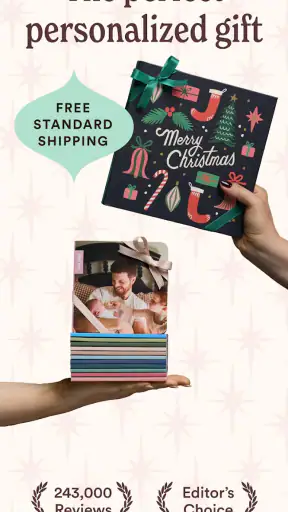
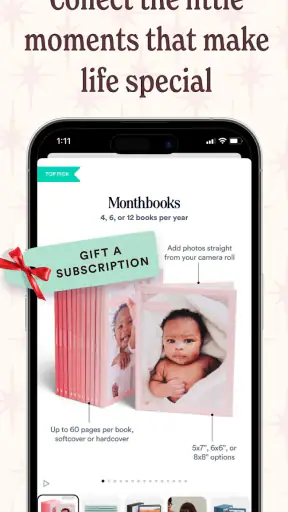

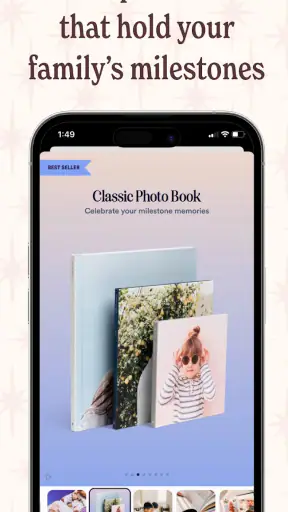
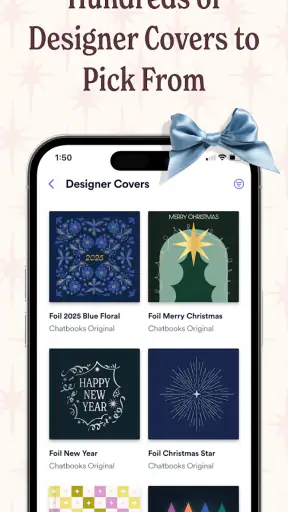
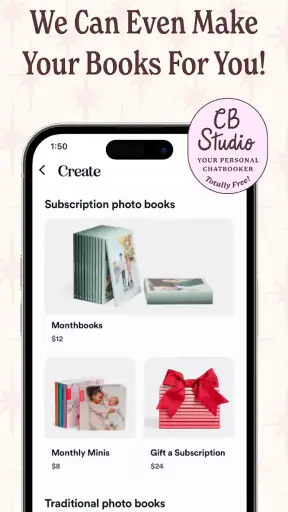


I came to Chatbooks Family Photo Books with a simple question: would it make printing family photos feel easy enough to become a habit? My answer is mostly yes. This free photography app from Chatbooks is built around turning phone pictures into physical photo books, which makes it more useful for people who want something they can hold rather than another forgotten folder in cloud storage.
The idea sounds straightforward, but the practical value is in reducing the distance between taking a picture and doing something meaningful with it. I can imagine using it after a holiday, a child’s birthday, a family visit, or even an ordinary month that happened to contain the moments I want to remember. It is not trying to replace a full photo editor. Instead, it focuses on helping everyday memories become a finished keepsake.
How Chatbooks feels in everyday use
The first thing I noticed is that the app makes more sense when I treat it as a memory-organizing tool rather than a camera app. I would not open it to adjust exposure, remove objects, or create elaborate collages. I would open it when I have a collection of pictures and want to turn them into a coherent physical story.
That distinction matters. Many photography apps are designed around improving an individual image. This one is more concerned with what happens to a group of images after I have taken them. The most natural workflow is to gather pictures around an occasion, review them with a little discipline, and shape them into a book instead of leaving them mixed together with screenshots, duplicates, and accidental photos.
A realistic example would be a weekend trip. During the trip, I might take too many similar pictures and forget about them once I return home. With a photo-book service, the better approach is to wait until the excitement has settled, remove the weak shots, keep a mixture of people, places, details, and candid moments, and then build the book from that smaller selection. The result should feel like a memory rather than a camera roll export.
The strongest part of the experience is the change from “I should print these someday” to a more concrete, guided project. That is especially helpful for families, where one person often becomes the unofficial keeper of everyone’s photos. The app gives that person a reason to sort and preserve them instead of carrying the entire archive on a phone.
A good fit for family routines
The app is particularly appealing if your family takes lots of casual pictures but rarely makes albums. A formal scrapbook project can require time, materials, design decisions, and a free afternoon. Chatbooks approaches the same emotional goal with less preparation. I can see it working well for parents who want to document a child’s changing interests, relatives who live apart, or couples who want a physical record of ordinary life without designing every page from scratch.
It is also suitable for people who do not think of themselves as creative. A traditional album often creates pressure to choose a theme, match colors, write captions, and arrange every image perfectly. That freedom can become a barrier. A more focused photo-book workflow is easier to start because the main decision is simply which memories deserve space.
That convenience comes with a trade-off: the less control I have over the design process, the less the final book may feel completely personal. Someone who enjoys arranging each page by hand may find the experience too restrained. For that person, a dedicated design app or a desktop photo-book editor could be a better choice.
What the current app is best at
In its current form, the app is best understood as a bridge between a digital photo collection and a printed family object. The developer is Chatbooks, and the app sits in the photography category, but its purpose is more specific than general image management. It is about selecting, arranging, and preserving memories in book form.
I would recommend starting with one clearly defined project rather than trying to organize an entire lifetime of photos immediately. A book about one trip or one season gives the workflow a manageable boundary. It also makes it easier to judge whether the layout, selection process, and finished result suit your expectations before you commit to a larger personal archive.
Another useful habit is to choose photos by emotional variety instead of technical perfection alone. A slightly imperfect picture of grandparents laughing may be more valuable than a sharp but forgettable landscape. The app can help turn a collection into a book, but it cannot decide which moments will matter to you years from now. That editorial choice remains the most important part of the process.
Development and the current version
Chatbooks has been available since September 2014, so it is not a new experiment in the photography space. The current version is 5.17.6, which suggests an established product that has had time to refine its approach rather than appearing as a one-off printing tool. I see that history as relevant because services involving personal photos need a degree of continuity: people are more willing to build a family archive when the app feels like an ongoing product.
At the same time, a version number alone does not tell me that every part of the experience has been transformed. I would treat the present release as a continuation of the core idea, not as a reason to expect a completely different app. The important question for an existing user is whether the current workflow remains dependable and understandable, not whether each update introduces a dramatic new feature.
The app supports Android devices running version 7.0 or later. That gives it a relatively broad device range, although anyone using an older phone should check compatibility before planning a project around it. On a supported device, the more important practical consideration is the size and condition of the photo library. Large collections can be harder to review thoughtfully than a small, carefully chosen set.
Its age rating is Everyone, which fits the family-oriented purpose. That does not mean every family should use it without thinking about their own photo-sharing habits. I would still be selective about which images I upload or include, particularly when a phone contains private pictures, documents, or photos of people who may not want certain moments printed.
What the reputation suggests, and what it does not
The app has an average rating of 4.3 from around eighteen thousand ratings, with roughly seven thousand reviews, and it has passed one million installs. Those figures indicate that the concept has reached a substantial audience and that many people find value in it. They do not guarantee that every user will enjoy the same workflow, because satisfaction here depends heavily on expectations about design control, photo selection, and the physical result.
I would read the strong adoption as evidence that the problem is real: many people want printed memories but do not want a complicated publishing project. It is less useful as evidence that the app is the best option for professional photographers, meticulous scrapbookers, or anyone who needs advanced color management. Those users are asking a different product to solve a different problem.
How it compares with familiar alternatives
The most obvious alternative is doing nothing and keeping everything in the phone’s gallery. That costs less effort in the moment, but it leaves memories dependent on a device, an account, and your willingness to search through old folders. Chatbooks adds a physical outcome, which is its main reason to exist. If you only want digital organization, a gallery app or cloud photo service will usually be more flexible.
Another alternative is ordering a custom photo book through a general printing service. Those services may offer more control over page layouts, backgrounds, typography, paper choices, and cover details. They can be the better choice for a wedding album, a professional portfolio, or a gift where every visual decision matters. The downside is that they often require more time and more design work.
Chatbooks appeals to me when convenience is more important than complete customization. It is closer to a guided family memory workflow than a blank design canvas. That makes it more approachable, but it also means I should not expect the same level of precision I would get from building every page manually.
There is also a difference between a photo-book app and a social network. The point here is not to collect reactions or publish a stream for strangers. The finished object is private in spirit, even if the process begins on a connected device. That focus makes the app more emotionally useful for families who want something lasting rather than another place to post.
Small decisions that improve the finished book
My first practical tip is to make a temporary selection before opening the book project. I would create a separate album in the phone’s gallery, remove duplicates, and keep only the images that contribute something different. This prevents the book from becoming a sequence of nearly identical shots and makes the in-app review much less tiring.
My second tip is to build around a story, even for ordinary life. A “spring with the grandparents” collection has a clearer emotional shape than a random group of favorites from several months. A story also helps when choosing between similar images: the better picture is the one that moves the sequence forward, not necessarily the one with the most polished composition.
My third tip is to leave room for imperfect pictures. Phone photography often captures the value of a moment precisely because it is spontaneous. If I remove every image with motion blur, awkward framing, or a distracted expression, I may produce a cleaner book but a less honest record. The right balance is to reject accidental images while preserving genuine personality.
A fourth useful habit is to review the project on a larger screen when possible before finalizing it. Phone displays can make every image look more impressive than it will in a printed sequence. Looking at the collection with a little distance helps reveal repeated poses, weak transitions, and pages that feel visually empty.
Where the experience may create friction
The biggest limitation is inherent in the app’s simplicity. If I want to control every page, I may feel that the process is making decisions for me. A guided layout can save time, but it can also make a book feel less distinctive. This is not a flaw for someone who values speed; it becomes a problem when the project is intended to be a highly designed gift or a formal family record.
Photo selection can also become work, especially for households that take hundreds of images during a single event. The app makes the final conversion easier, but it cannot remove the emotional and practical task of deciding what to keep. Users expecting automatic perfection may be disappointed by how much judgment is still required.
I would also avoid treating it as a replacement for a proper backup system. A printed book is a wonderful extra copy, but it does not preserve every original image, and it should not be the only place where important photos exist. I would keep the original files organized separately, particularly for irreplaceable family events.
People who want extensive editing tools should look elsewhere before committing to this workflow. The app’s value is in making a book from selected memories, not in turning it into a full image-processing studio. Likewise, someone who only wants to share a quick digital album with friends may find a messaging or cloud-sharing tool faster.
Questions I would consider before starting
If you are wondering whether the app is free to download, yes, it is available at no charge. That makes it easy to explore the workflow without paying simply to install it. I would still separate the free app experience from the broader question of producing physical books, because creating a printed keepsake is a different step from downloading the software.
If you are asking whether it is suitable for children, the Everyone rating makes the app broadly family-friendly. In practice, I would expect an adult to guide the selection and review process for younger users, especially when the phone contains private family images or when the project is intended as a gift.
If you are unsure whether your older Android phone can run it, the minimum requirement is Android 7.0. That covers many older devices, but compatibility is only the first check. A phone with limited storage, a crowded photo library, or a small screen may make sorting more frustrating than the operating-system requirement suggests.
If you are deciding between this and a fully customizable photo-book service, I would make the choice based on your tolerance for design work. Choose Chatbooks when you want a practical route from family pictures to a physical book. Choose a more elaborate editor when page-by-page control, typography, and visual precision matter more than speed.
What existing users and new users should watch
For existing users, I would watch how comfortably the current version handles the workflow you already depend on: selecting images, revisiting older projects, and keeping your personal archive organized. Product evolution is most valuable here when it reduces small points of friction without making a familiar family routine confusing.
For new users, I would pay attention to whether the app encourages a sustainable habit rather than a single burst of enthusiasm. The best result is not necessarily one enormous book. Smaller, clearly themed projects are easier to finish, easier to give as gifts, and more likely to become a regular way of preserving family life.
I would also keep expectations realistic about automation. A service can simplify layout and production, but the emotional quality of a book still comes from the choices I make before pressing ahead. The strongest books usually contain a thoughtful mixture of people, places, details, and quiet moments, not just the most attractive images in the camera roll.
My recommendation
After looking at the app as both a photography tool and a family archive workflow, I think Chatbooks is a good recommendation for people who want printed memories without taking on a full design project. Its free entry point, broad Android support, Everyone rating, and established presence make it approachable, while its focused purpose keeps the experience easier to understand than a general-purpose publishing editor.
I would not recommend it to someone who wants professional-level image editing, complete control over every page, or a purely digital way to share albums. Those needs are better served by specialized alternatives. But for a parent, traveler, couple, or relative who keeps saying “we should print these photos” and never does, the app offers a realistic path from intention to finished keepsake.
My honest view is that Chatbooks works best when I use it as a simple memory ritual, not as a magic solution for an untidy photo library. Choose a manageable story, edit the selection carefully, keep the original files backed up, and let the physical book be the rewarding final step. Used that way, it turns everyday phone photography into something more lasting, which is a worthwhile job for a photography app.


